Dev Containers for Coder on Kubernetes
Self-hosted Codespaces. Pick a git repository, and get a
Coder workspace built from that repository's own
devcontainer.json, running on your own Kubernetes cluster. You get its
image, Features, Dockerfile, lifecycle commands, environment, ports and VS Code
extensions. There's no local Docker and no per-core-hour bill, and the code
never leaves your network.
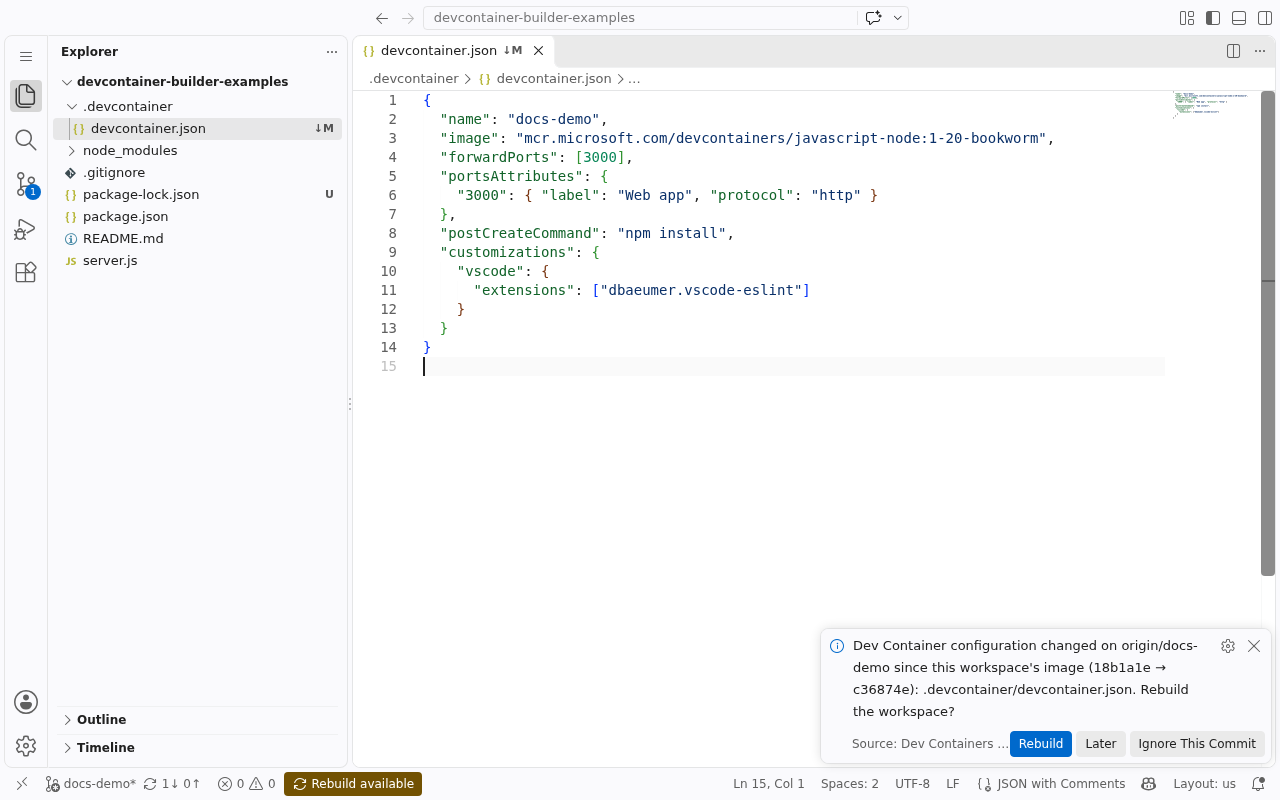
How it works for a developer
- Pick a repository. In VS Code, Coder: Clone Repository in Workspace… lists your GitHub repositories like Git: Clone does. You can also use the Coder dashboard, or an Open in Coder badge in a README.
- The image is built from its Dev Container configuration, on BuildKit inside your cluster, and pushed to your registry tagged with the commit (one tag per workspace, rebuilt on Rebuild). The workspace starts on it.
- Code in VS Code Desktop or VS Code in the browser, opened on the cloned repository. Home and repository persist across restarts.
- Push a change to
.devcontainer/and the workspace offers Rebuild available. One click moves it onto the new image. A repository without a configuration gets a generic image and a prompt to add one.
What's in the box
flowchart LR
    dev[VS Code<br/>+ extension] -->|create / rebuild| coder[Coder]
    coder -->|terraform apply| tpl[Coder template<br/>+ Terraform provider]
    tpl -->|POST /build| svc[devcontainer-builder<br/>service]
    svc -->|devcontainer build| bk[BuildKit]
    bk -->|push| reg[(Registry)]
    tpl -->|pod from the image| pod[Workspace pod<br/>on Kubernetes]
    reg -->|pull| pod
dev -.->|VS Code Desktop / browser| pod| Piece | What it does |
|---|---|
| devcontainer-builder (service + Helm chart) | Clones the repository and builds its Dev Container image with the official Dev Containers CLI on a remote BuildKit, then pushes it. It also reads a built image's merged configuration back for the template. Runs once per cluster. |
| The Coder template (reference) | Turns a repository and branch into a workspace pod: the build, the user, the clone, the hooks, env, mounts, ports, resources, VS Code. |
| The Terraform provider (reference) | deepspacecartel/devcontainer-builder, which the template uses to call the service. |
| The VS Code extension (reference) | Dev Containers for Coder in K8S: clone a repository into a workspace, rebuild when the configuration changes, add one where there's none. |
-
Platform admins
Install devcontainer-builder and BuildKit, push the template, and optionally enable private repositories. About 15 minutes.
-
Developers
Install the extension, open a repository in a workspace, and rebuild when its configuration changes.
-
devcontainer.json support
Every property and what it becomes in a Kubernetes workspace, including what can't work there and why.
-
Versioning and upgrades
What 1.x promises to keep stable, and how to upgrade from 0.x.
Why a build service
A Coder template on Kubernetes needs a container image when the pod is scheduled. Templates are applied by coderd's own isolated Terraform provisioner, which can't build images itself. So building the Dev Container image happens in a separate, long-running service in the cluster. The template calls it the same way it calls Kubernetes to provision a volume before the pod. How that service works is in Architecture; calling it directly, without Coder, is in the build service quickstart.